
AI-Powered Frontend Development with GitHub Copilot
In modern aviation, there are machines capable of flying themselves, but we don’t trust them because we know it’s not a question of “if” they fail, but “when” and “how”. Therefore, by having a pilot and a copilot to operate it, we are provided with the guarantee of safety we need to use it.
When comparing an Airplane with Artificial Intelligence (AI), there are some similarities: A Machine capable of operating on its own that requires an external factor (a human) to provide the initial inputs and ensure things are working as expected.
Advanced AI has taken the world by storm. And, like Pandora’s box, it’s not something that can be undone, but learn from it and adapt. To benefit from this change, you first need to understand how it works and what this new tool is capable of. Below, you will find some insights and examples of how you can use an AI and fly with it during Frontend development.
Contents
For this purpose, the examples are based on the GitHub Copilot, but it should work similarly to any other AI tool.
Define a Context
For effective use of the AI, provide context, especially with a new project. Treat interactions as a conversation, breaking down the problem and discussing solutions, akin to pair programming. Start with a broad goal before diving into details.
For example, when building a calculator with Vue, you could write a comment like this.
/*
Create a calculator component with the following features:
- use Vue 3 composition API
- use TypeScript
- Show results as I type
- Support all basic math operations
*/
GitHub Copilot can quickly generate the base code for the new component.
Break down the problem
Communicate your main goal and the steps to achieve it. Breaking down the process helps it be understood better. Let it generate code after each step instead of all at once.
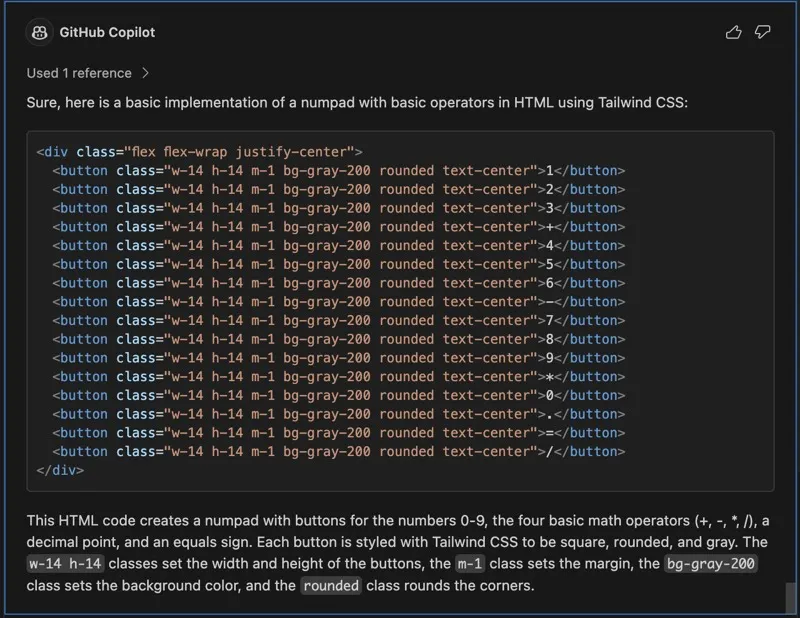
Continuing with the calculator example, you could now add the Numpad and their styles as a next step.
create a numpad with basic operators in html using tailwind, the buttons should be squared, rounded and with the gray color
Define an Outcome
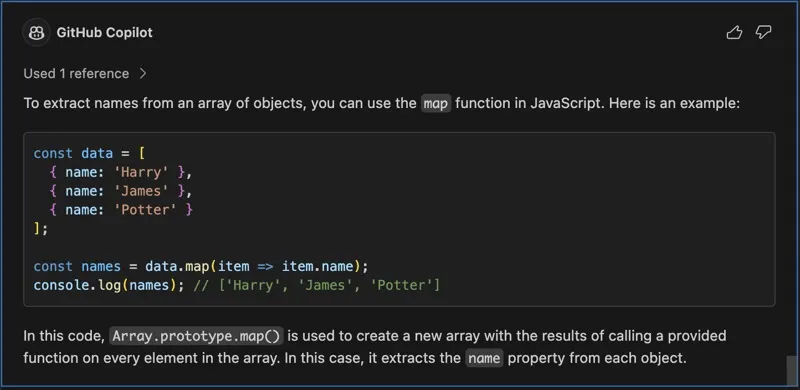
Learning from examples benefits both humans and AI pair programmers. For example, we might want to extract names from an array and store them in a new array. By giving examples, we can help GitHub Copilot understand our intent.
/*
Map through an array of objects
Example: Extract names from the data array
Desired outcome: ['Harry', 'James', 'Potter']
*/
Prompt Examples
Here are some prompt examples of how to interact with it and give you ideas to create your own.
As a rule of thumb: Always validates the content/code generated by an AI. It is not perfect and can generate things that do not make sense (Hallucinates) or do not work.
Prototyping
The AI code generation accelerates prototyping, allows quick design iterations, early problem detection, and boosts team collaboration.
Create a Method
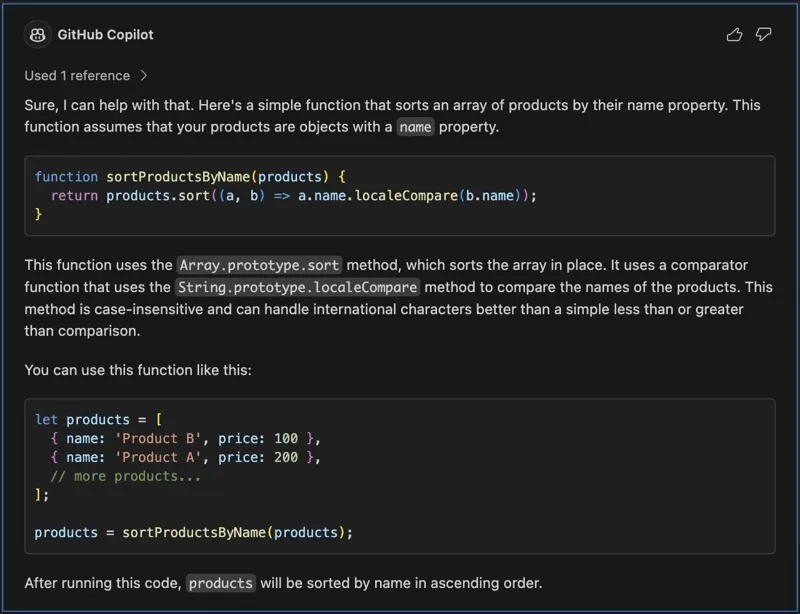
Create a function that does something.
create a function to sort product by name
Create a Regex
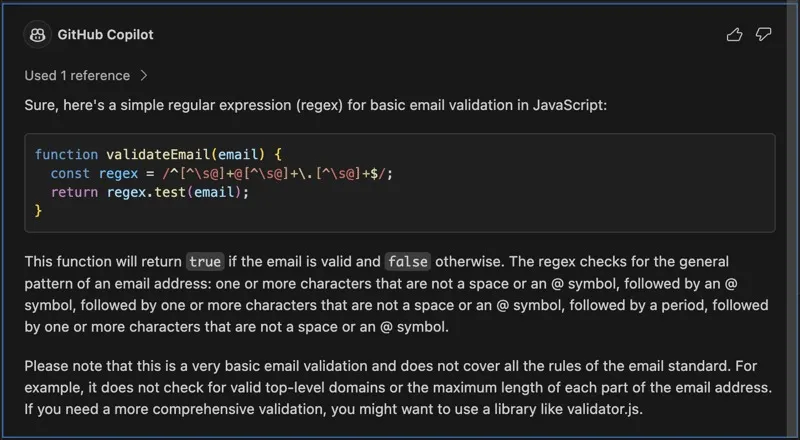
Regex can be hard to write, but the AI can help you with that.
create a regex to validate email address
Convert X to Y
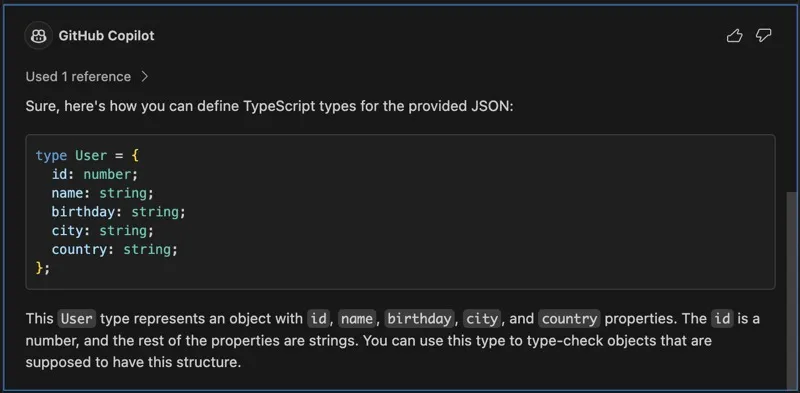
You can use the following example to convert a JSON object to Typescript, or even another language like Swift, C# or Python.
convert the following json to typescript and order properties alphabetically
{
  id: 1,
  name: 'John Doe',
  birthday: '1990-01-01',
  city: 'Berlin,
  country: 'Germany'
}
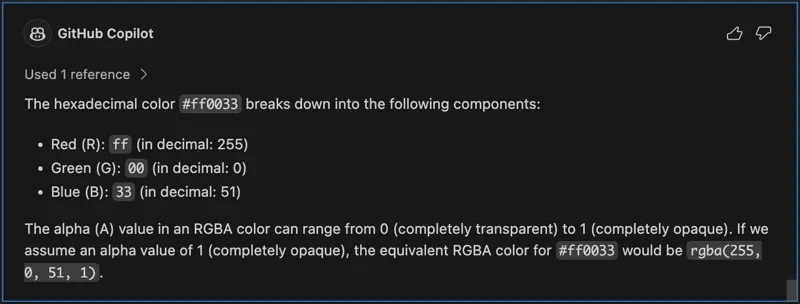
Or transform a value into something else. For example, convert a hex color to its equivalent RGBA.
equivalent rgba color for #ff0033
Code Refactoring
The AI can help you optimize your code by suggesting better ways to do things.
improve the function_name function
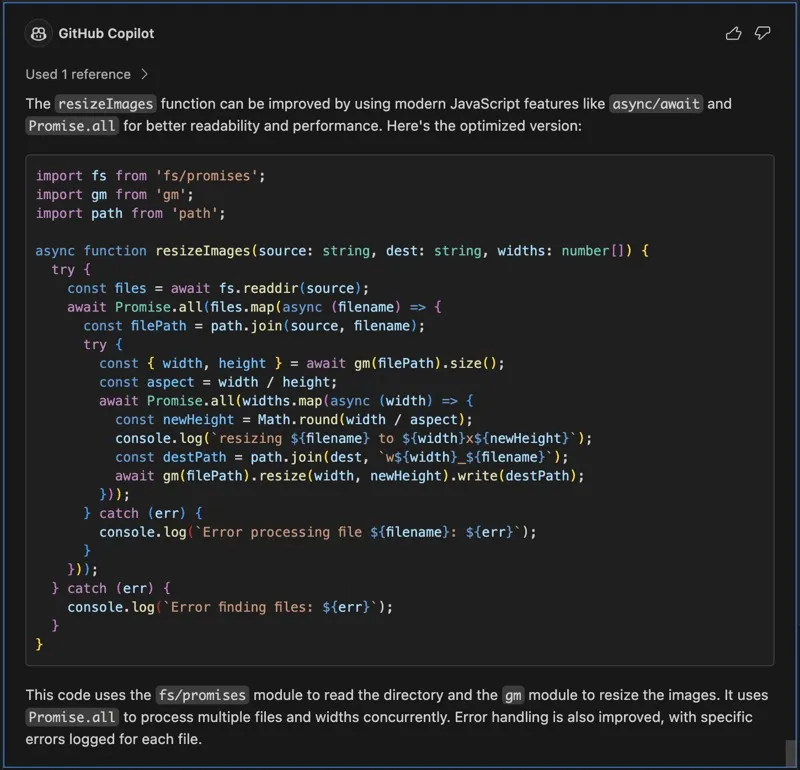
Or get some suggestions on how to refactor a method into smaller ones.
make the function_name function smaller by splitting it into smaller chunks

Debugging
Explain a Method
explain the function_name function

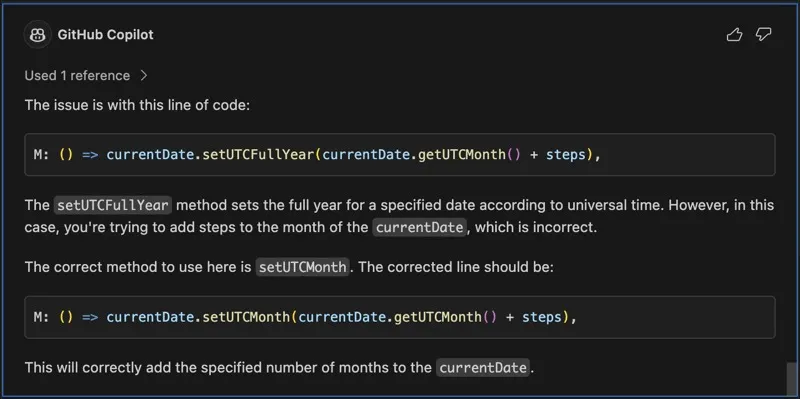
Code Insight
Where is the error in the function dateRange when executing it with the following parameters: '2022-01-01', '2022-12-31', { interval: 'ME' }
Documentation
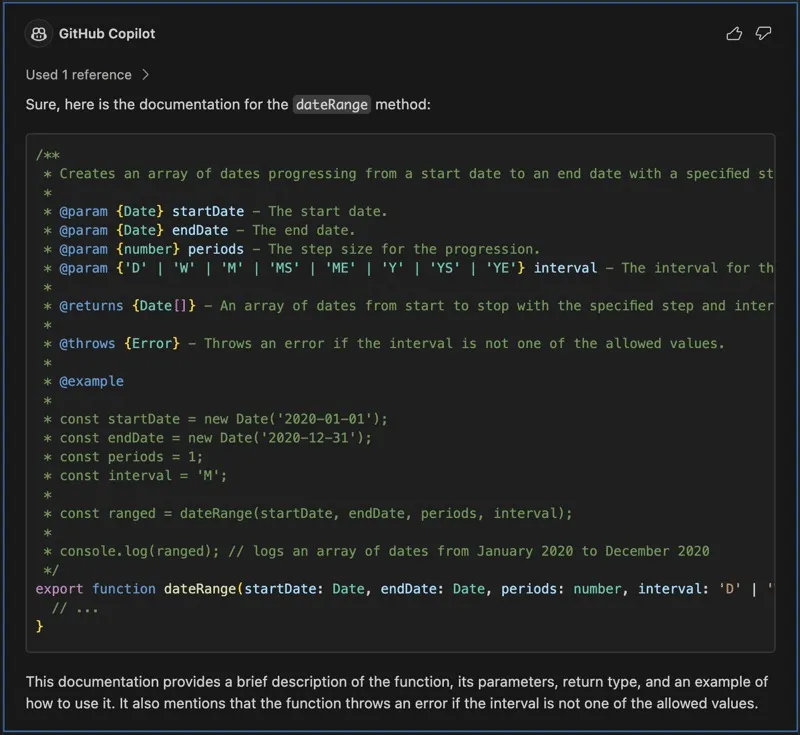
The AI can analyze code and related resources to automatically generate concise, contextual documentation for developers.
Document a Method
generate documentation for the function function_name
Testing
The AI can automate testing creation and help you quickly analyze code, identify potential vulnerabilities, and simulate various test scenarios.
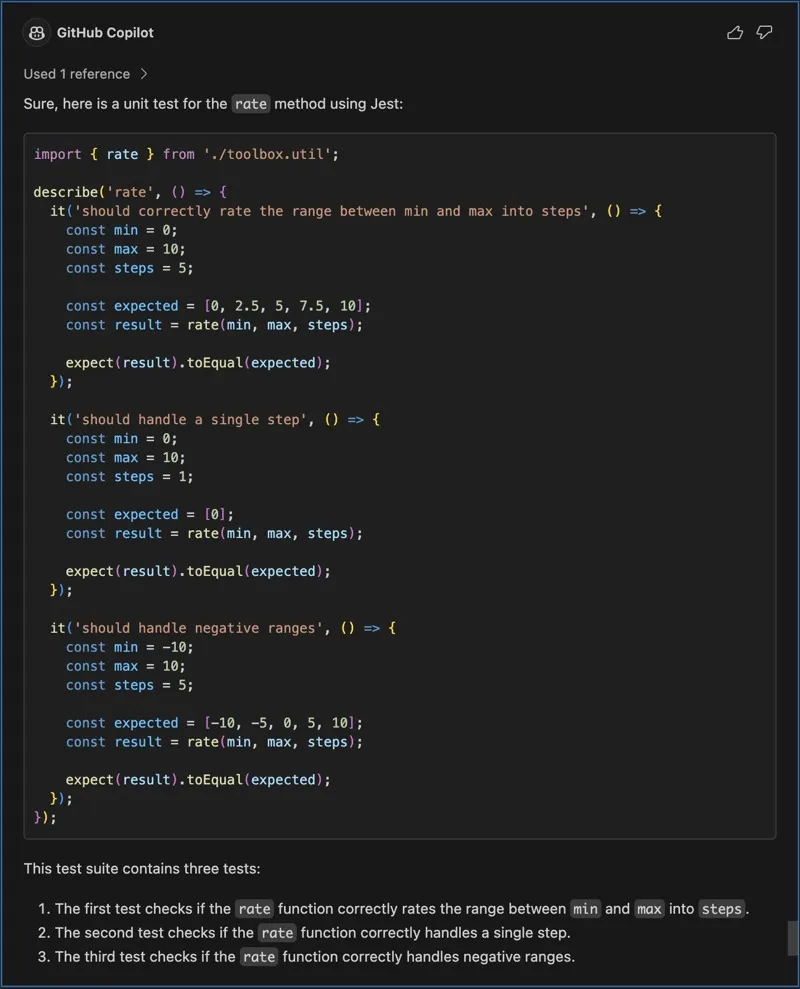
Create a Test
Create a unit test for a method.
create unit test for the function_name function
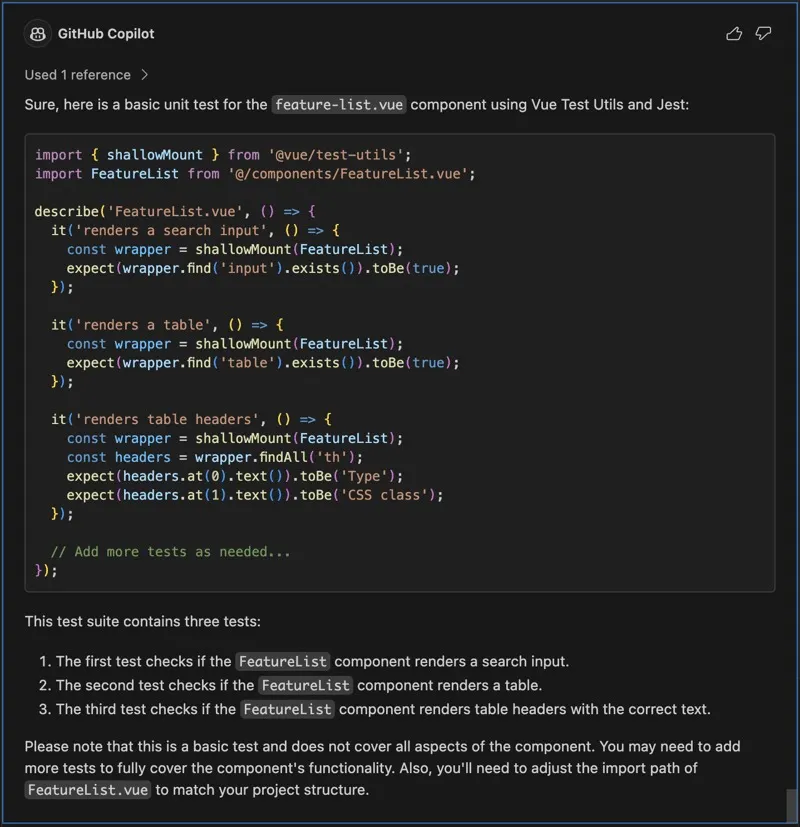
…or for a component.
create unit test for the component_name.vue component
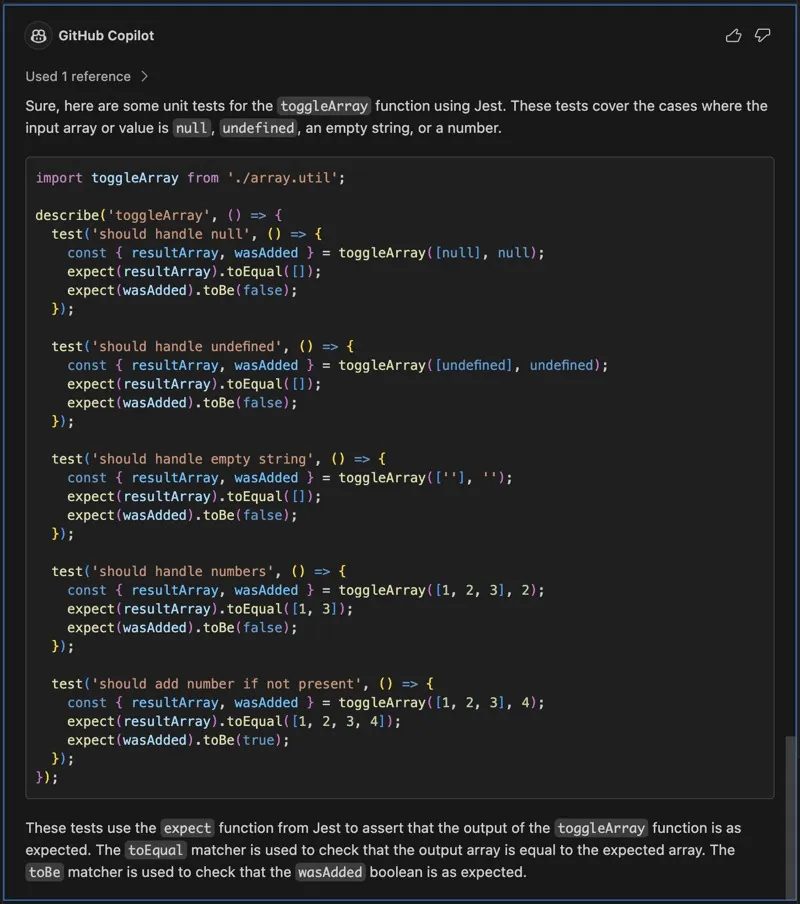
Add Test Cases
You can also add test cases to an existing test.
test function_name function against undefined, null, empty string or numbers.
Learning
The AI can help you learn new things by providing you with documentation and examples.
How To
You can ask for documentation on how to use a method, or even set a context such as I’m learning javascript and I’m going to ask questions about the language and its built-in methods, and then processed and type only Array.reduce().
how to use the Array.reduce() method in javascript
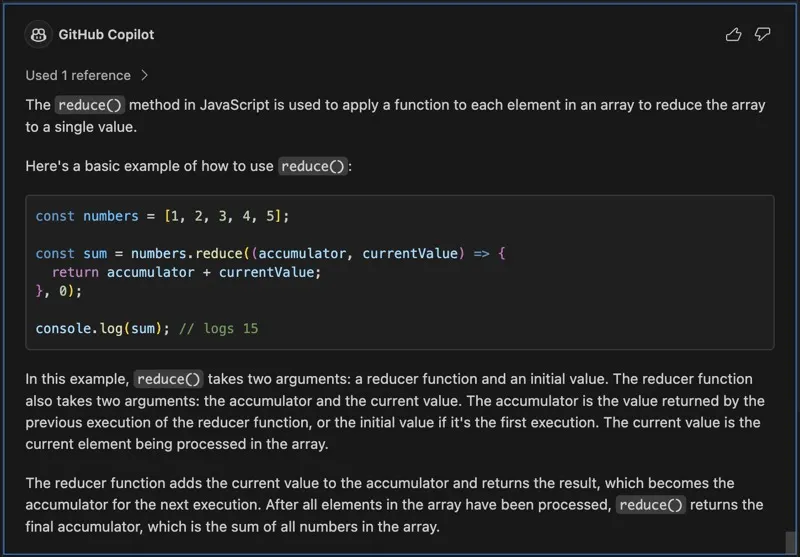
Is it also possible to clarify a topic.
What is the difference between "for of" and "for in" in javascript
Conclusion
AI tools like GitHub Copilot can significantly enhance the process of software development. By defining a context, breaking down the problem, defining an outcome, and using the correct prompts, developers can effectively communicate with the AI to improve their development experience. However, it’s crucial to remember that AI is not infallible. Always validate the generated content and code to ensure it meets your requirements and expectations. As we continue to adapt and learn from these advanced AI tools, they will become an increasingly integral part of our development workflows, acting as a reliable copilot in our coding journey.
Related articles

Mariana Pereira
Learning to Let Go: What Leadership Ateliers Lisbon Taught Me About Influence, Impact and Growth
What does leadership look like when your role isn't defined by managing people, but by bringing different perspectives together?
Oct 2, 2026

Vaibhav Khatri, Nikolaus Kober
5 Skills Every AI Engineer Needs Today (And Why the Role Matters More Than Ever)
From system design and evaluation to Responsible AI and observability, here's what it takes to build AI that works in the real world.
Sep 29, 2026

Ghazaleh Motia
What n8n Taught Me About Product Prototyping
Product ideas often can be expensive to validate. Before something becomes a real product, teams/individuals frequently need to answer a simple question: does this idea actually solve a problem worth tackling? Over the l
Sep 18, 2026